Manual Entry Workbook Rescue Demo
A store-launch team is using one workbook as its weekly operating room: sales orders, issue notes, rep targets, launch tasks, inventory counts, shipment problems, budgets, invoices, and card charges all live in three hand-edited sheets. ThinkRows treats the file like a real operating workbook, finds the table blocks people meant to create, and turns them into reviewable tables without losing the context.
Start with the workbook the team brought in
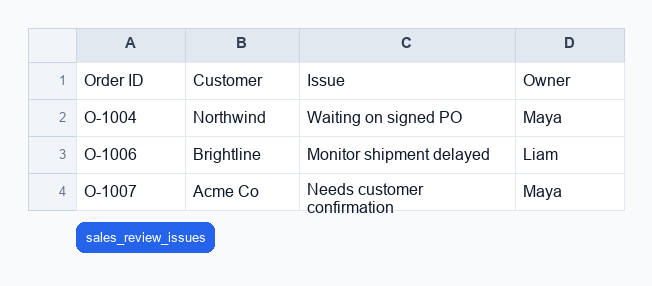
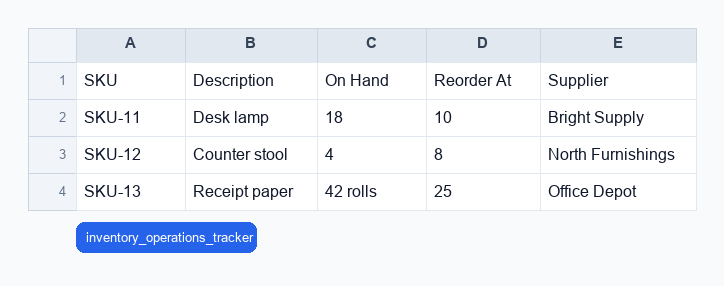
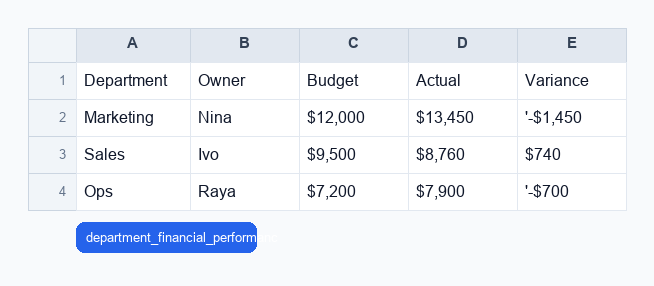
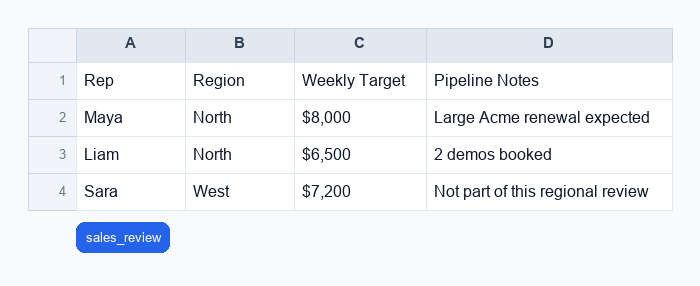
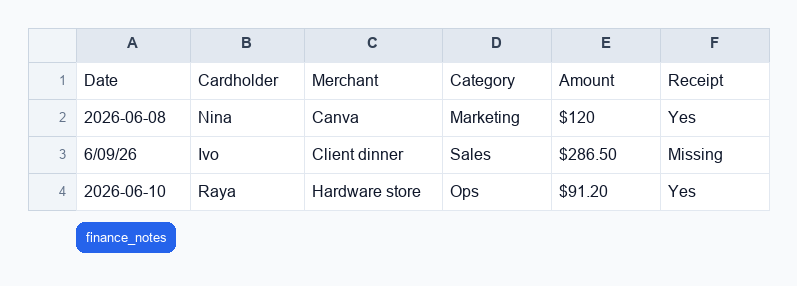
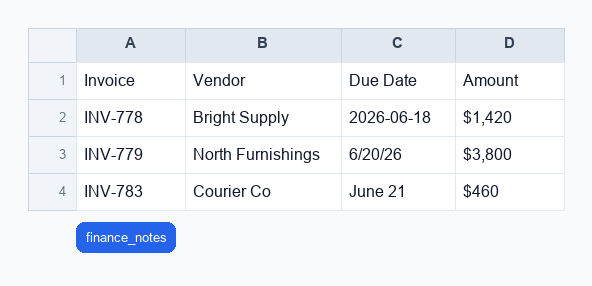
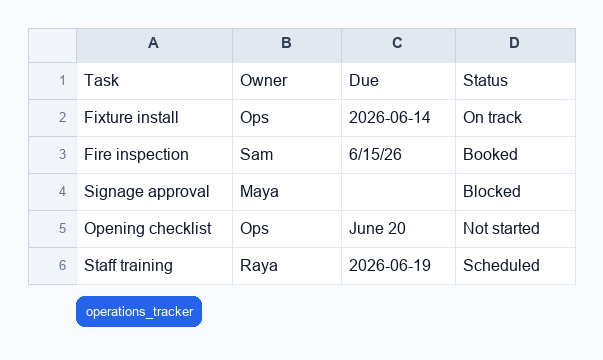
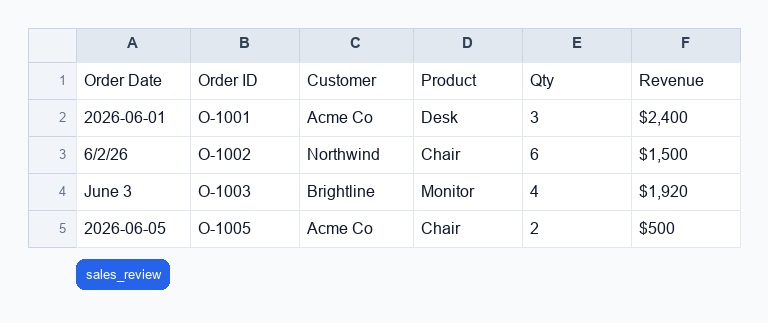
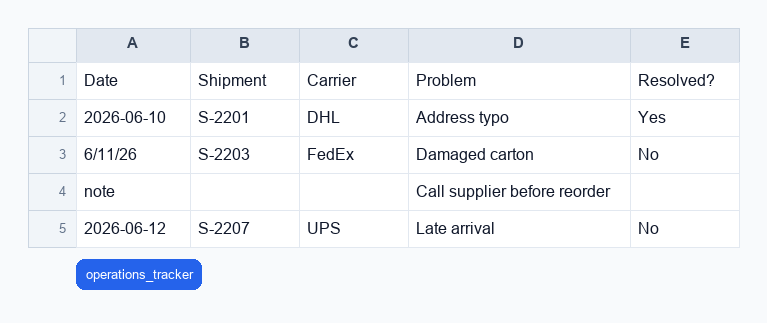
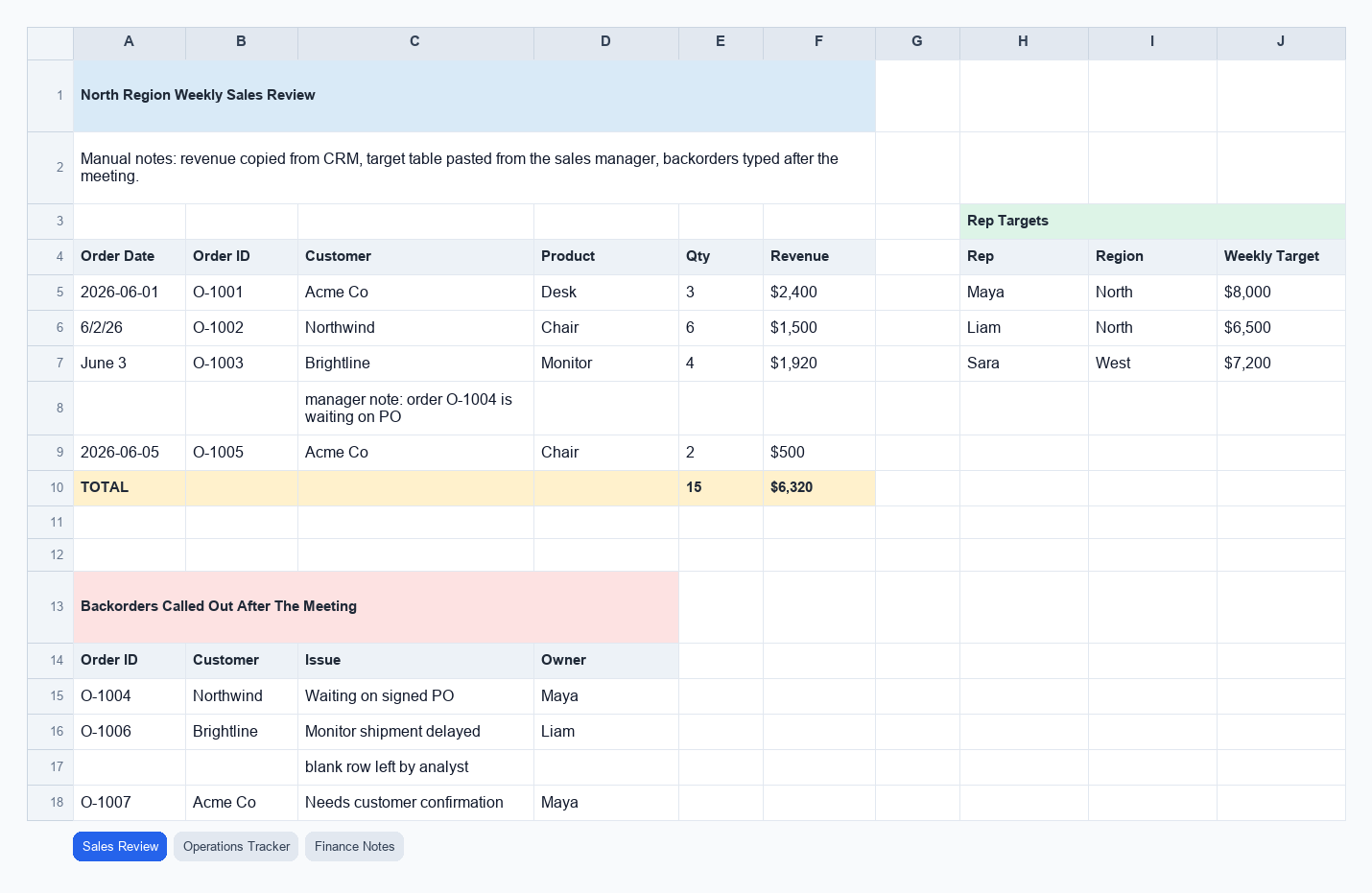
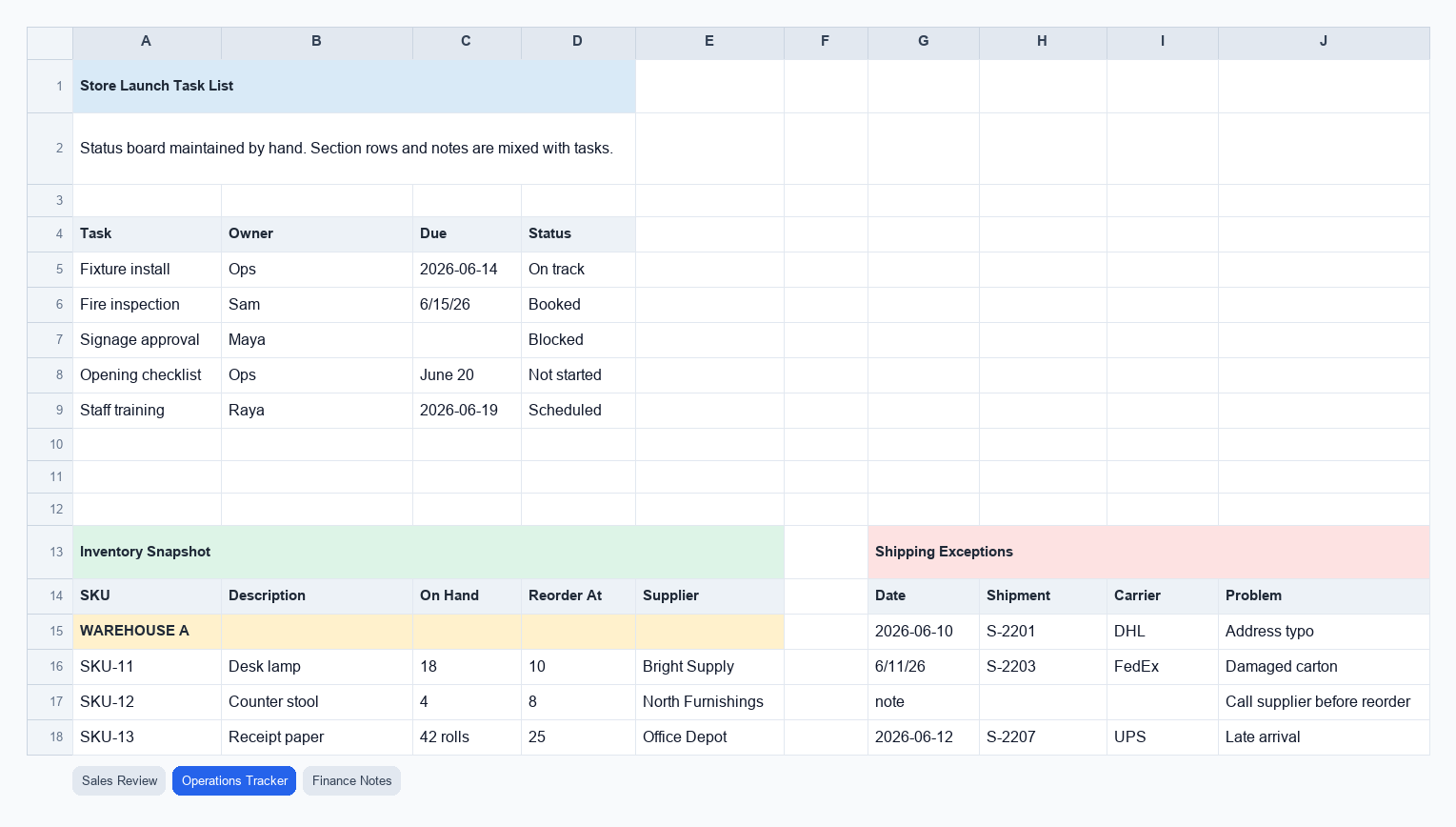
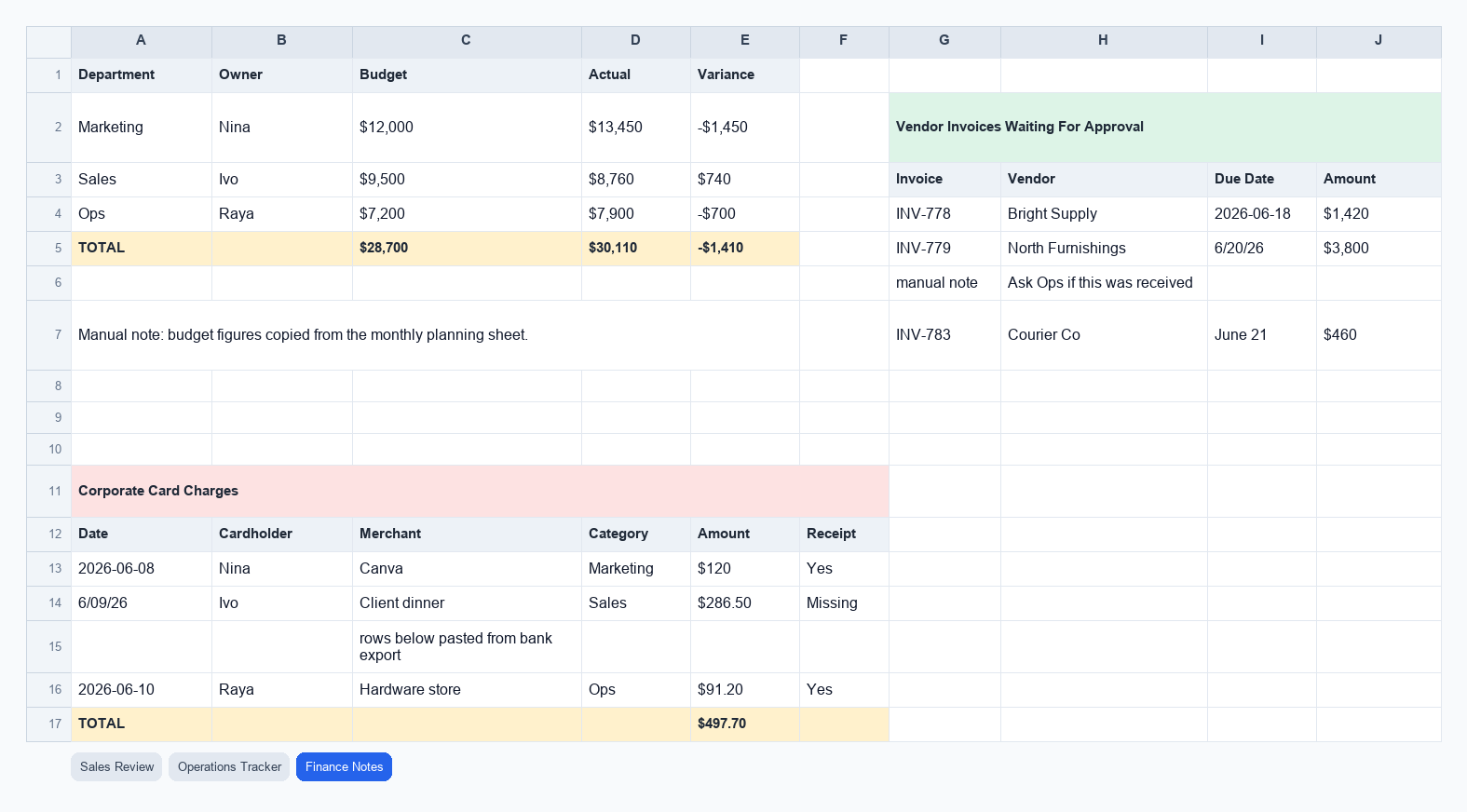
These are the original sheets ThinkRows receives. The tabs keep each sheet visible so the rest of the walkthrough can point back to the actual columns, gaps, and relationships in the file.
- Sales Review: order rows, issue follow-ups, and rep targets on one sheet.
- Operations Tracker: launch tasks, inventory status, and shipment issues sharing space.
- Finance Notes: department budgets, invoice approvals, and card-charge receipt follow-up.
Recover the tables hidden inside the manual workbook
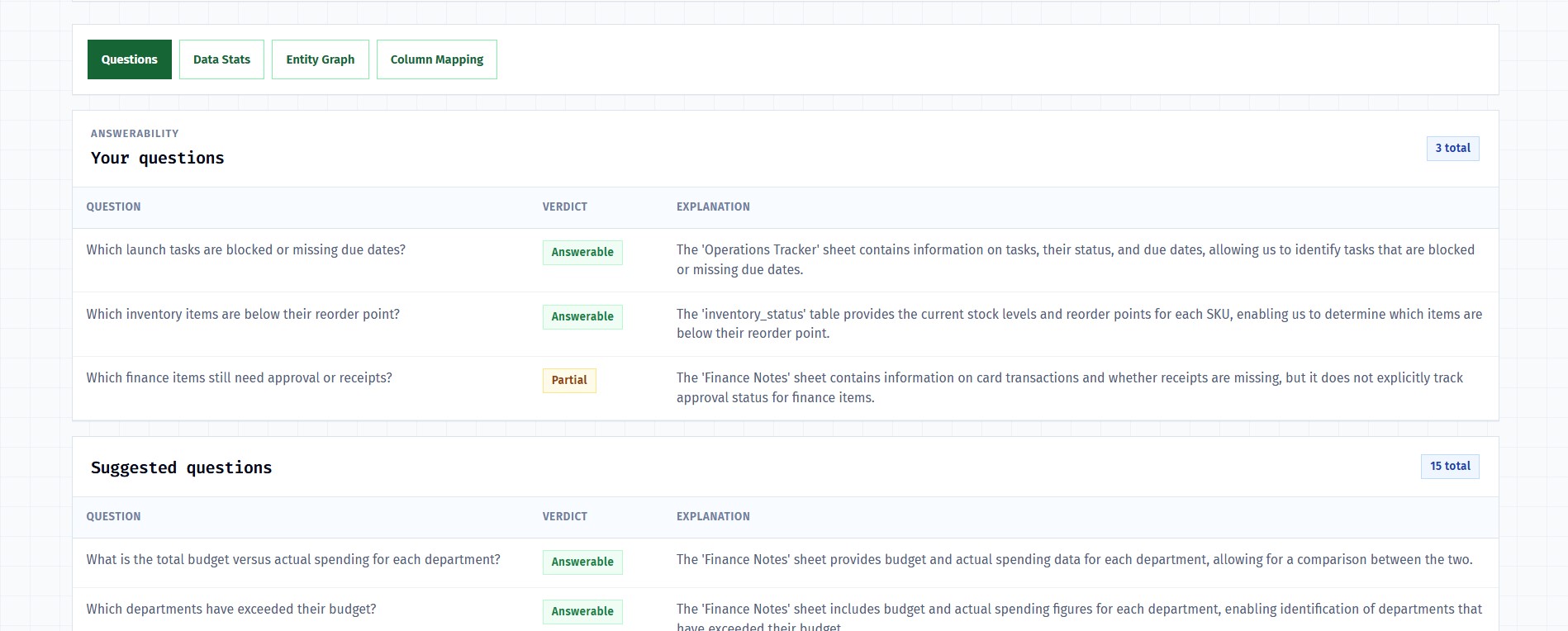
ThinkRows does not assume each sheet is one table. It scans the workbook for table regions, asks about ambiguous blocks, then builds the report from the extracted tables. In this run, it recovers 8 extracted tables from 3 manual sheets, with 18 questions checked: 14 answerable, 3 partial, and 1 blocked.
Step 1: Find table regions before reading rows as data
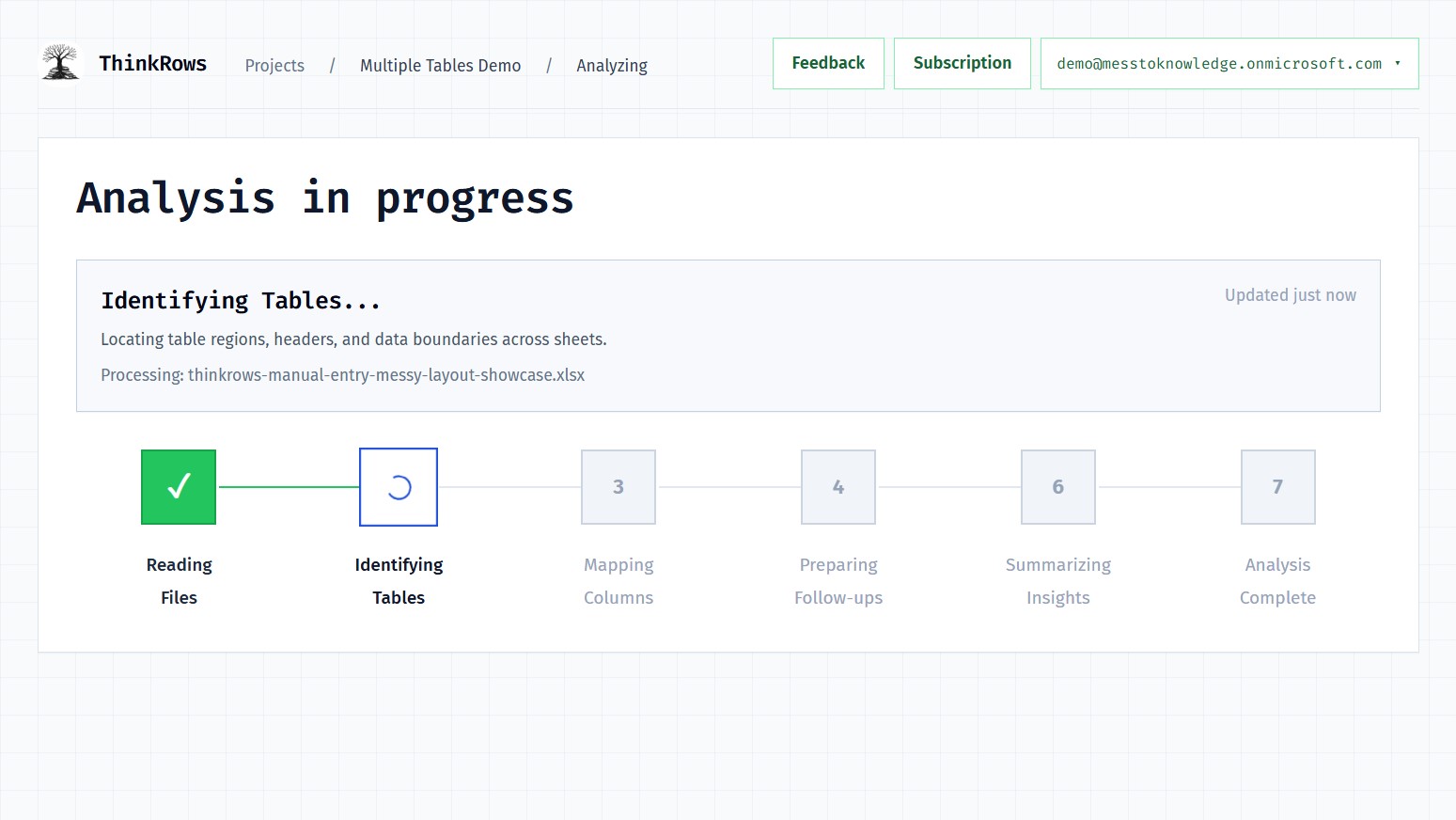
The analysis starts by locating table boundaries, headers, notes, and data blocks across the three hand-edited sheets.
Step 2: Ask only about ambiguous sheet boundaries
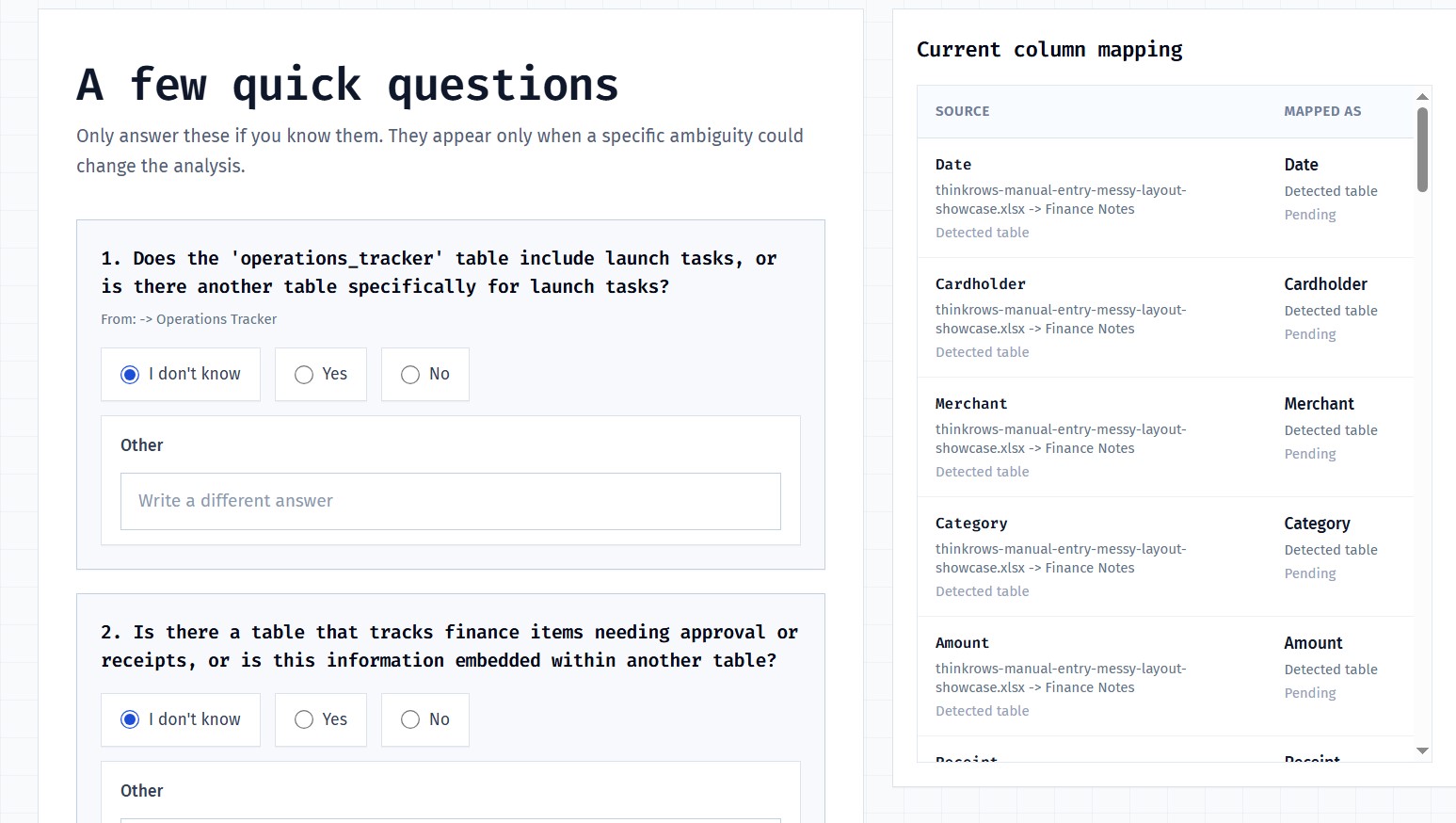
It asks targeted clarification questions where sheet boundaries are ambiguous, then checks the operating questions against the recovered tables.
Step 3: Check operating questions against the recovered tables
The final package includes clean tables for sales orders, sales issues, launch tasks, inventory status, shipment issues, budgets, invoice approvals, and card charges.
Then ThinkRows shows how the recovered tables relate
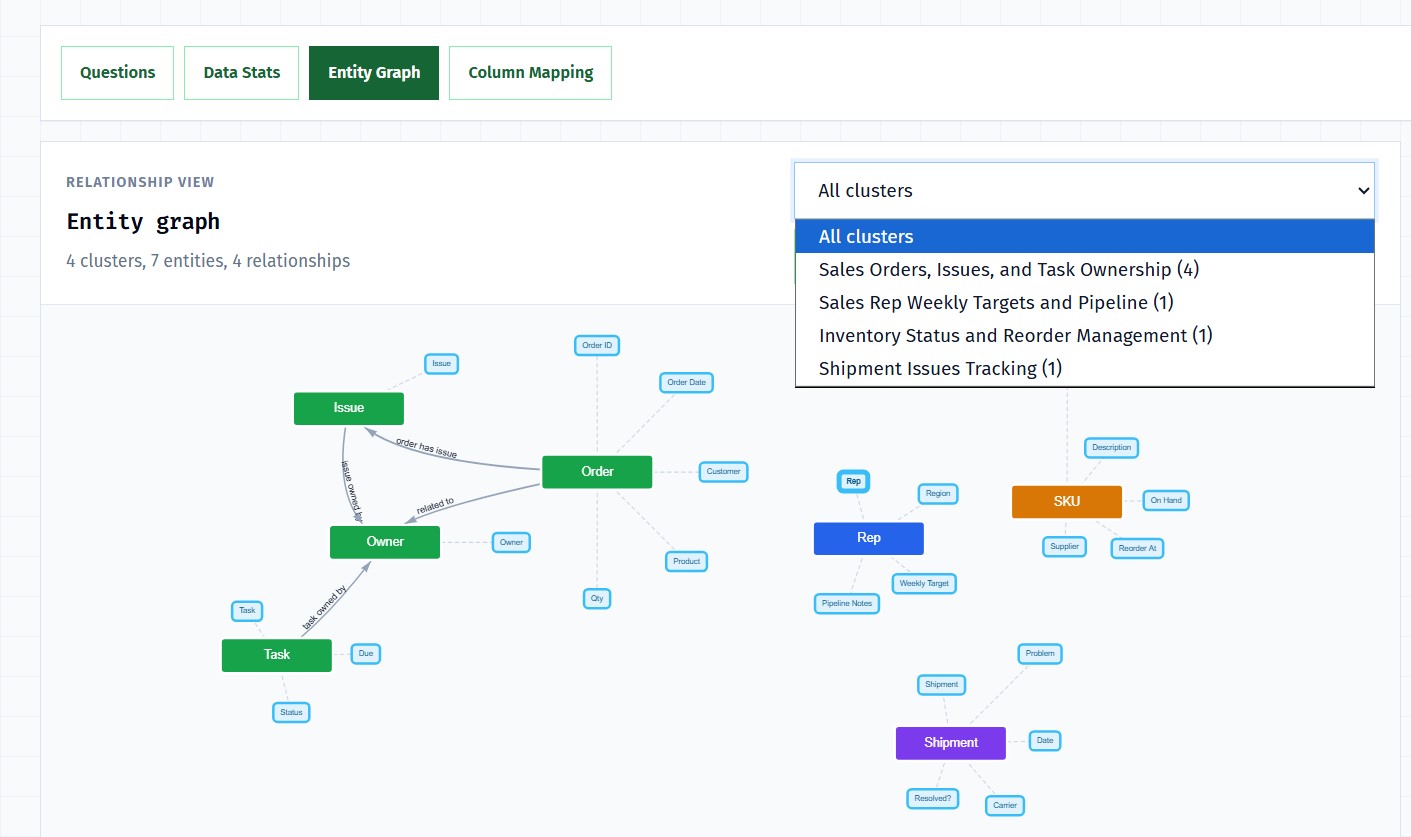
The entity graph groups the recovered tables into four clusters: sales orders and issues, task ownership, inventory reorder management, and shipment issue tracking. That is the map behind the answerability verdicts and exports.
Final outputs
The team gets a workbook it can review instead of a flattened export
It asks targeted clarification questions where sheet boundaries are ambiguous, then checks the operating questions against the recovered tables.
The final package includes clean tables for sales orders, sales issues, launch tasks, inventory status, shipment issues, budgets, invoice approvals, and card charges.
Output workbook tables
ThinkRows returns the identified tables as Excel output. Use the tabs to inspect the extracted tables from this demo.